The home feed
Home is the live tape of large trades across Polymarket and Kalshi. Everything else in Polywhaler is a way of slicing, scoring or acting on what shows up here.
What lands in the feed#
The feed carries trades of $10,000 and above. That floor is what makes it a whale feed rather than a firehose, and it is why a trade you made yourself probably is not in it.
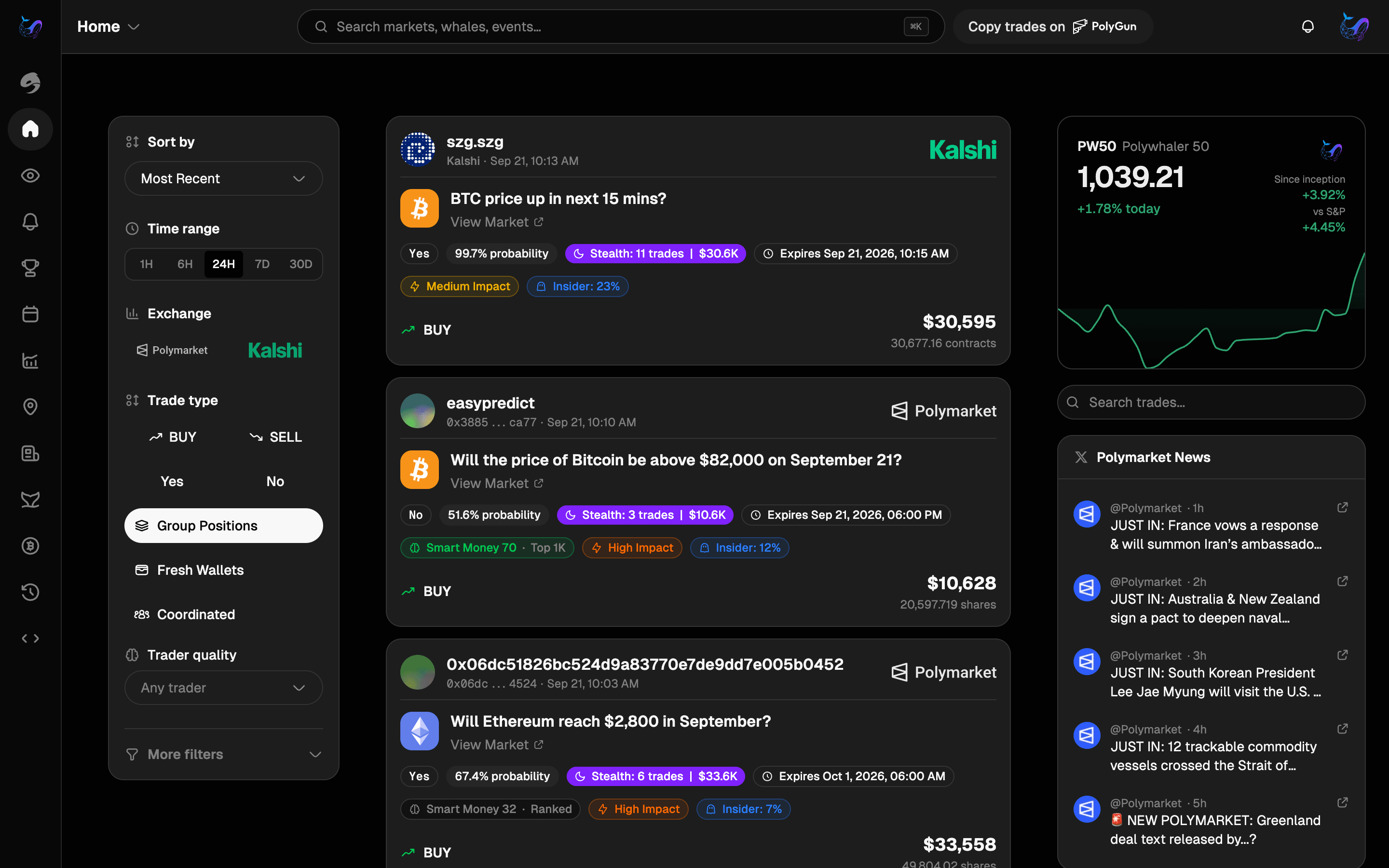
Kalshi is quieter, so its non-sports markets use a $5,000 floor. The exception is Kalshi's 15-minute and hourly markets, such as “BTC price up in next 15 mins?”. They only show a trade of $10,000 or more priced under 90¢. Buying at 95¢ or 99¢ in the last minutes of a window is a near-certain small return, not a whale taking a view, and those buys used to fill the feed.
Sports and esports are left out of the default view. They are high-volume and drown out everything else, so they live in their own tab instead.
The last 24 hours#
Above the feed, one sentence says how much whale money moved in the last 24 hours, how much of it was buying, and which open event drew the most. Four numbers sit under it:
- Whale volume: the total of $10,000+ trades. The sentence above says how many events they touched.
- Buying: the share of that money that went to buys.
- Flagged buys: buys with an insider score over 40. Tap it to open the Insider-flagged lens over the same 24 hours.
- Most active: the category with the most whale money.
Where whale money is going lists the three open events with the most whale money and which way their buying leaned. The same numbers drive the Events page, where every event is listed.
Note
Hide folds the section down to its first line, and it stays folded next time.
The four tabs#
All trades, Sports, Signals and Calls sit in the Activity header. The tab is in the URL, so a view you like is a bookmark.
- All trades: every qualifying trade except sports. The default.
- Signals: market-wide analytics rather than a tape. Smart Money Flow and coordinated buying live here.
- Sports: the sports and esports trades kept out of Home.
- Calls: trades that were flagged as suspicious at the time and went on to win.
Lenses#
The chips above the feed are lenses: different ways to read the same trades. The lens is in the URL too.
- Top trades: the default. The trades in the time window that have made the most money since, at today's prices. A trade on a market that has settled counts at its final payout. Very new trades have had no time to move, so they show up under Latest instead. Switch between Highest $, the most dollars made, and Highest %, the best return on what the trade cost, where a cheap long shot that paid off can outrank a much bigger bet.
- Latest: every trade, newest first.
- Biggest: the largest trades in the time window.
- Insider-flagged: buys with a medium or high insider score, highest score first. Switch to Newest to read them as a tape. There are only a few a day, so if the last 24 hours are quiet, one tap widens the window to 7 days.
- Smart money (Pro): trades ordered by the trader's smart money score.
- Following: only the wallets on your watchlist. Quiet, and worth building up.
Narrowing it down#
The time range and venue sit beside the lenses. Everything else is behind the Filters button, and whatever you turn on there shows as a chip above the feed so you can see it and remove it in one tap.
- Time filters: 1H, 6H, 24H, 7D and 30D. Shorter windows for reacting, longer ones for spotting a pattern.
- Trader quality: restrict the feed to wallets that have earned a rank. See scores and badges for what the tiers mean.
- Category: crypto, politics, economy, world, tech, culture and the rest.
Reading a trade#
Each row gives the trader, the market, the side and outcome with the price paid, and the size. One badge says why the trade stands out: an insider score, a Top 100 wallet, a smart money score, coordinated buying, a fresh wallet, or simply its size. Clicking a row opens the full trade, including the insider score breakdown and a link through to the trader's profile.
Prefer more detail at a glance? The density switch next to Filters swaps the rows for full cards, which show every badge at once. Your choice is remembered.
The price is the part people skim past and should not. A $200,000 buy at 4¢ is a very different statement from a $200,000 buy at 60¢, and the insider model weights it accordingly.
Under the size is the trade's profit or loss so far: the dollars, then the percent in a small tag, for example +$15,118 +17%. It is the price paid against the price now, and the line beside the side shows both, such as @ 68¢ → 74¢. It is refreshed every minute. A market that has settled shows its final price. A sale reads the other way round: it is positive when the price has fallen since the whale sold.
A grouped position is priced from its individual fills. A whale can buy the same side of several markets in one event, for example “No” on three Bitcoin price targets. The row then says across 3 markets in place of a single price, because the average of different markets' prices describes none of them.
Your whales#
The panel at the top right shows the latest trades from the whales on your watchlist over the last 7 days. Its header opens the Following lens, which has the rest.
If you don't follow anyone yet, it shows Whales to follow instead: the most active whales outside sports this week, each with a Follow button. Following one adds them to your watchlist, so their trades show up in the panel, the Following lens and your alerts.
On a phone the panel sits in the Insights drawer beside the filters, with the top whales and the latest Polymarket news.
